Digital Menu Board for Restaurants: Use a Normal TV in Portrait Mode
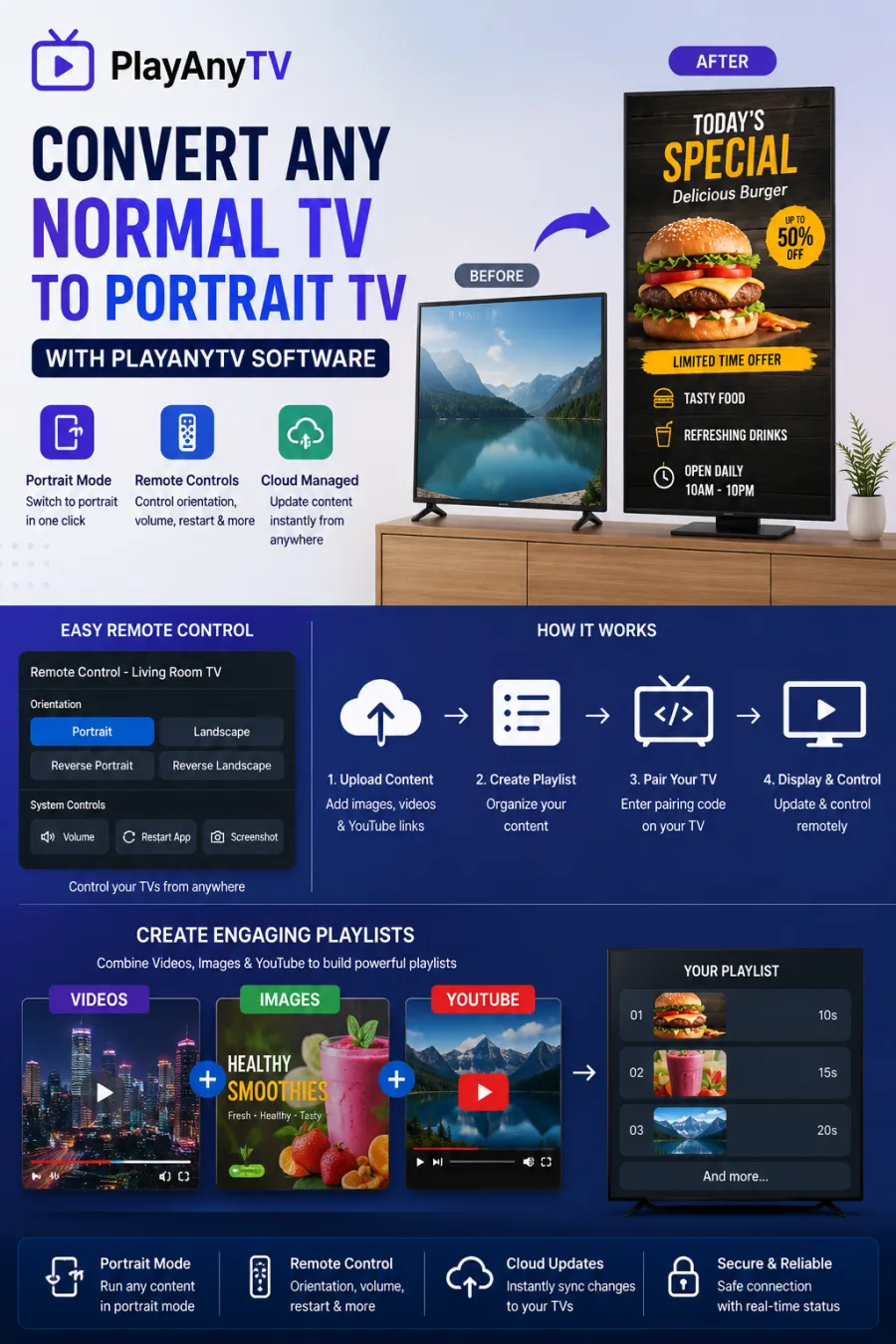
How restaurants, cafés and bakeries can turn a regular Android TV into a vertical digital menu board, and update prices and offers from a phone instead of reprinting.
Printed menu boards go out of date the moment a price changes. A digital menu board fixes that, but dedicated menu-board hardware is expensive. A regular Android TV mounted vertically does the same job.
Why Portrait Mode Suits Menus
Menus are lists, and lists read top to bottom. A TV mounted in portrait fits more items without tiny text, matches the shape of a printed menu, and fits narrow walls beside a counter or entrance.
The Problem With Rotating a Normal TV
Hang a normal TV sideways and the picture is sideways too. Most TVs don't offer a portrait setting. PlayAnyTV handles the rotation in the app: from the dashboard, switch the screen to portrait, landscape, reverse portrait or reverse landscape. Reverse portrait helps when the TV's power cable or ports have to face a particular direction on the wall.
Design Your Menu at the Right Size
Create your menu images in a vertical 1080×1920 layout in any design tool. Keep the text large enough to read from where customers queue, use high-contrast colours, and put prices in a consistent column. Make one image per category, such as breakfast, mains, drinks and desserts, so each slide stays readable.
Build a Menu Playlist
Upload the menu images to PlayAnyTV and arrange them in a playlist. Set a duration per image, longer for the main menu and shorter for offers. Add a short food video or a promotion between menu slides to catch the eye.
Change Prices in Minutes
When a price changes, replace that one image in the dashboard. The screen updates while it's online, with no reprinting. You can run a breakfast playlist in the morning and switch to the lunch playlist later.
One Kitchen, Several Screens
A counter menu, an outdoor screen and a screen in a second branch can all be managed from one account. Show the same menu on all of them, or give each screen its own playlist.
Beyond the Menu
The same screen can show combo offers, festival specials, new items, your Instagram handle or a UPI payment reminder. If you also use an Android billing app such as RasaBill at the counter, the menu board and billing stay on hardware you already own.
PlayAnyTV
Turn any Android TV into a portrait menu board and update it from the web dashboard.
Frequently Asked Questions
Can a normal TV be used as a vertical menu board?
Yes, if it runs Android TV or Google TV, or is connected to an Android TV box. Mount it vertically and switch PlayAnyTV to portrait mode from the dashboard.
What size should menu images be for a portrait TV?
Design at 1080×1920 pixels (vertical Full HD) so the image fills the screen without stretching.
How do I update menu prices on the TV?
Replace the menu image in the PlayAnyTV dashboard. The change syncs to the TV while it is online, so there's nothing to reprint.